0 - Kubernetes: how does it work
Introduction
Kubernetes is a deep ecosystem, but you don’t need to understand everything to be productive with it. If you focus on the core concepts and learn it based on your actual needs, you can already achieve a lot.
This documentation is structured around practical usage rather than theory. The goal is to build a working understanding of Kubernetes in a multi-node setup, including persistent storage, networking, and deployment strategies using containerized applications.
In particular, this guide will cover:
- A multi-node Kubernetes cluster setup
- Persistent volumes and data management across nodes
- Ingress routing using Traefik
- Deployment of Docker images with environment-specific configurations
This setup replaces a more traditional single-server infrastructure where each machine is manually configured to run specific containerized applications, typically exposed through Traefik or Nginx. While that approach works, it does not scale well and limits resource sharing across machines.
With Kubernetes, the goal is to move toward a more flexible and scalable system where workloads can be distributed dynamically across multiple servers, improving both resource efficiency and resilience.
Before Kubernetes
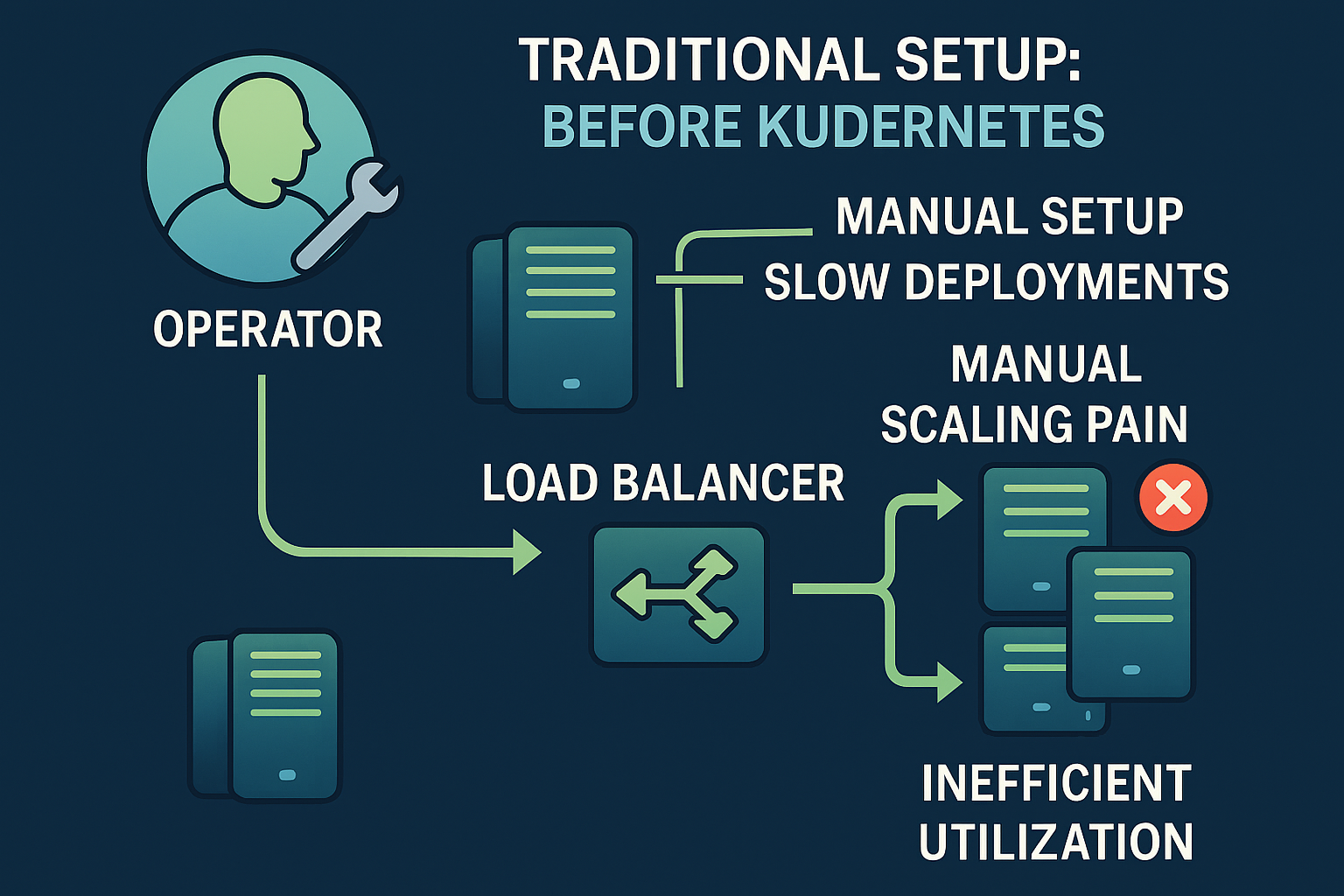
In a traditional setup, if you want load balancing and basic scalability, you typically introduce a load balancer in front of a set of servers running identical applications. These servers are usually provisioned and configured using tools like Ansible, and each one runs the same stack independently.
The load balancer is then responsible for distributing traffic across these instances, usually by forwarding requests to specific ports or services.
While this approach works, it quickly becomes harder to manage as the system grows. Any change or update to an application must be manually applied across all servers, which increases operational overhead and the risk of inconsistencies between instances.
There is also limited automation in scaling: adding capacity usually means provisioning new servers and manually integrating them into the existing load balancing configuration.
Kubernetes - the operating system of the cloud
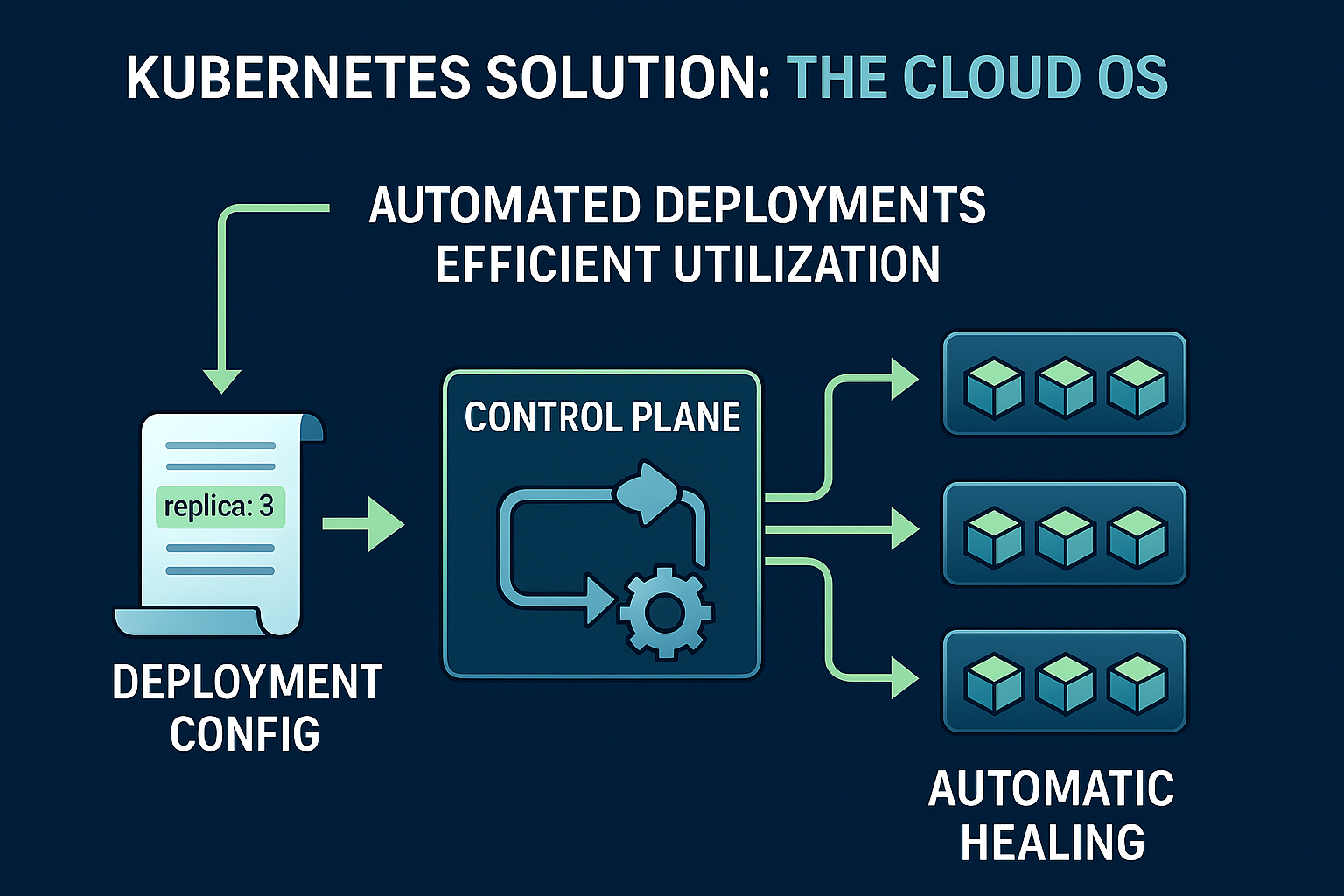
Kubernetes solves this problem by orchestrating workloads across multiple machines and handling scheduling, scaling, and service discovery automatically.
At the end of the day, it is still a cluster of virtual or physical machines, but it introduces a clear separation between the control plane and the worker nodes.
- The control plane is responsible for managing the cluster state. It decides what should run, where it should run, and ensures the actual state matches the desired state.
- The worker nodes are the machines where application workloads (containers) are actually executed.
Using a deployment configuration written in YAML, you can define the desired state of your application. For example, you can specify that you want 3 replicas of a given container image running.
The control plane then continuously works to maintain this desired state. It schedules these replicas onto available worker nodes based on resource availability (CPU, memory, constraints, etc.), and ensures that if a container or node fails, replacements are automatically created elsewhere in the cluster.
Continuity (Reconciliation & Self-Healing)
When we say Kubernetes continuously ensures a desired number of replicas is running, it means the system constantly compares the current state of the cluster with the desired state defined in the configuration.
If a replica crashes or becomes unavailable, Kubernetes automatically creates a new one to restore the required number of running instances. This is part of its self-healing behavior.
The actual nodes where workloads run can change dynamically depending on resource availability, constraints, and scheduling decisions made by the control plane.
Kubernetes also allows scaling applications based on demand. This can be done manually or automatically:
- Time-based scaling: increasing or decreasing replicas during known peak hours (done with cron jobs for example)
- Load-based scaling: using metrics such as CPU usage, memory consumption, or request rate
- Autoscaling: Kubernetes can automatically adjust the number of replicas using tools like the Horizontal Pod Autoscaler (HPA)
This makes it possible to adapt applications dynamically instead of relying on static server provisioning.
How Traffic Reaches Your Application
To make an application accessible from a browser in Kubernetes, we need to understand how traffic flows through different layers of the cluster.
Unlike a traditional server where an application is exposed directly through a port, Kubernetes introduces multiple abstraction layers:
- Pods: the smallest unit, where containers actually run
- Services: a stable networking layer that exposes a group of pods. They can be of multiple types:
- ClusterIP = internal only
- NodePort = opens port on every node
- LoadBalancer = cloud load balancer
- Headless = direct Pod discovery
- Ingress: rules that define how external HTTP/HTTPS traffic reaches services
- Ingress Controller (e.g. Traefik): the component that actually implements those rules and routes traffic inside the cluster
- Nodes: the machines that physically run the pods and networking components
Together, these components form a routing chain that allows external traffic from a browser to reach the correct container, even if pods are created, destroyed, or moved between nodes.
In practice
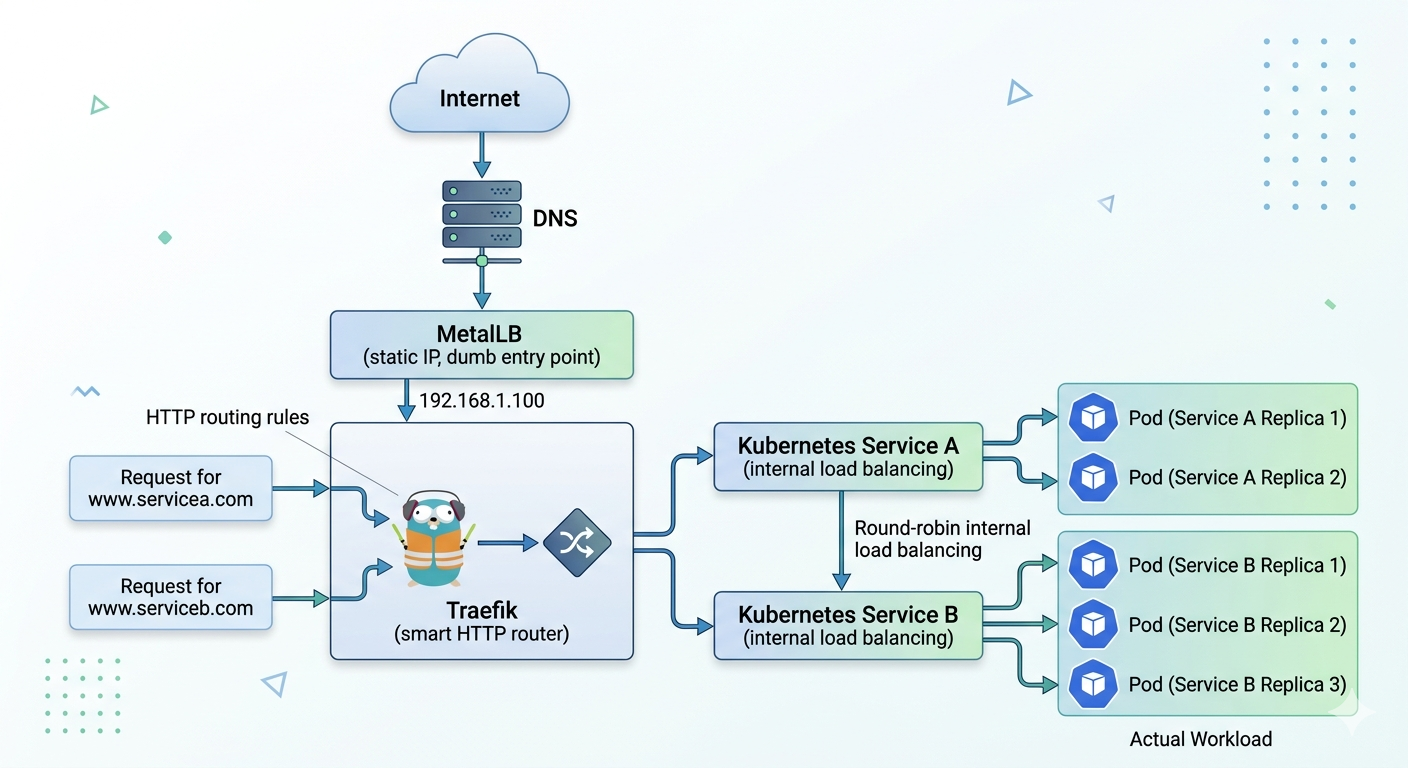
This setup exposes multiple applications running in a Kubernetes cluster through a single external entry point. It uses MetalLB for external IP allocation and Traefik as the Ingress Controller for HTTP routing.
The design separates concerns into four layers: external entry, routing, service discovery, and application workloads.
1. MetalLB
MetalLB provides a cloud-like LoadBalancer implementation for bare-metal Kubernetes clusters.
- Runs entirely inside the cluster
- Allocates a static external IP from a predefined pool
- Exposes the Traefik Service to the network
- Doesn’t do any real balancing unless we add more replicas of the traefik
2. Traefik
Traefik is the primary HTTP routing layer of the system.
- Exposed via a LoadBalancer Service (managed by MetalLB)
- Watches Kubernetes Ingress resources
- Routes traffic based on hostname, path, headers, etc.
- Handles TLS termination and middleware (redirects, auth, rate limiting)
3. Services
Each application is exposed internally via a Kubernetes Service of type ClusterIP.
- Provides a stable virtual IP inside the cluster
- Automatically load balances across matching Pods using label selectors
- Decouples applications from Pod lifecycle changes
Example:

 - service-a → 2 Pods
 - service-b → 3 Pods
4. Pods
Pods contain the actual application containers.
- Managed by Deployments or StatefulSets
- Can scale independently
- Ephemeral and replaceable by design